
Scheduled tasks
Each server can run things by itself on a schedule: a restart with a countdown in-game, a console command, or an announcement in everyone's chat. For example, restart at 5am every day, warning players 15, 5 and 1 minutes and 10 seconds beforehand.
Set them under the server's Settings, Schedules, or under schedules in its YAML. Both are the same list.
Adding a task
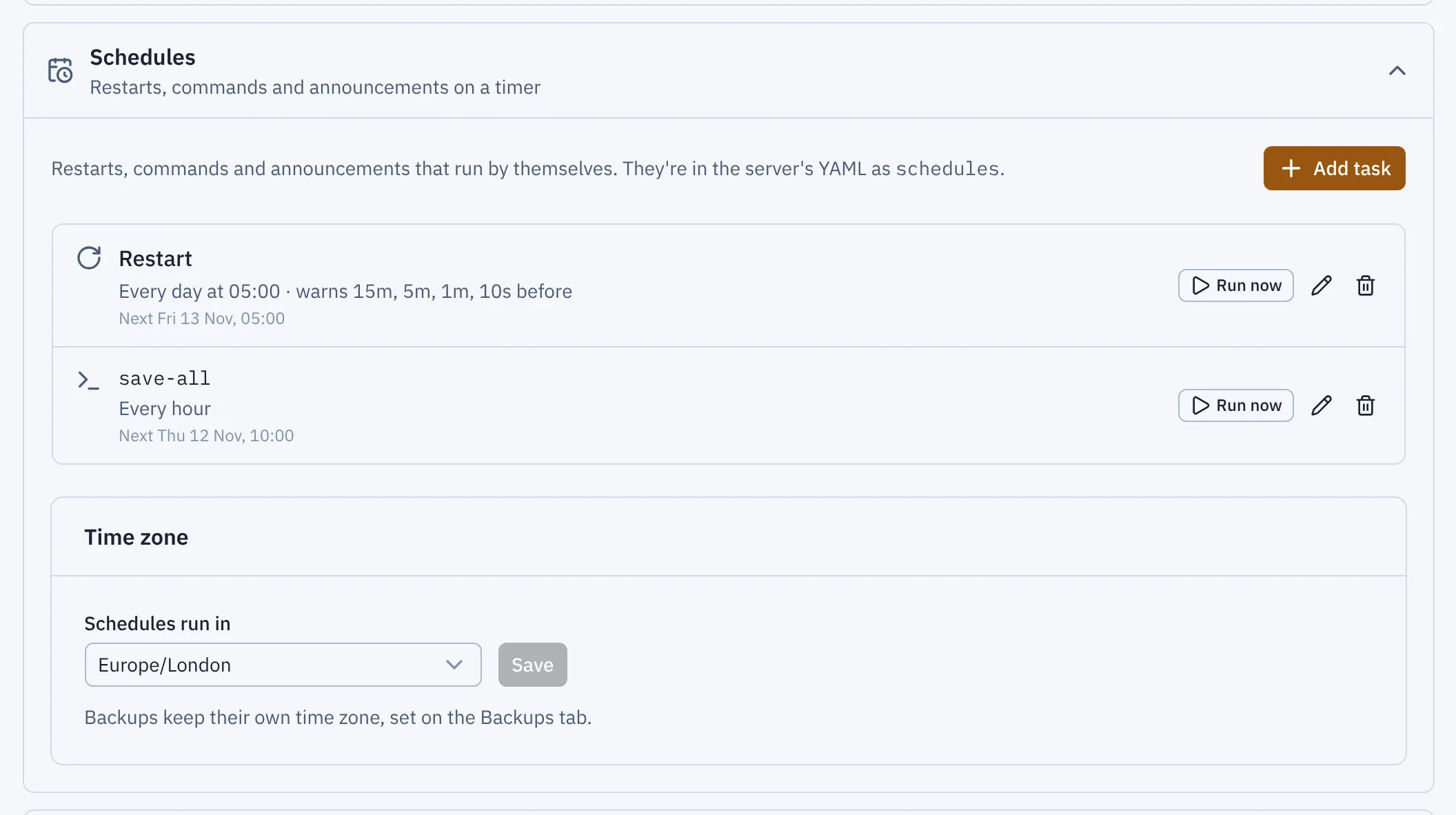
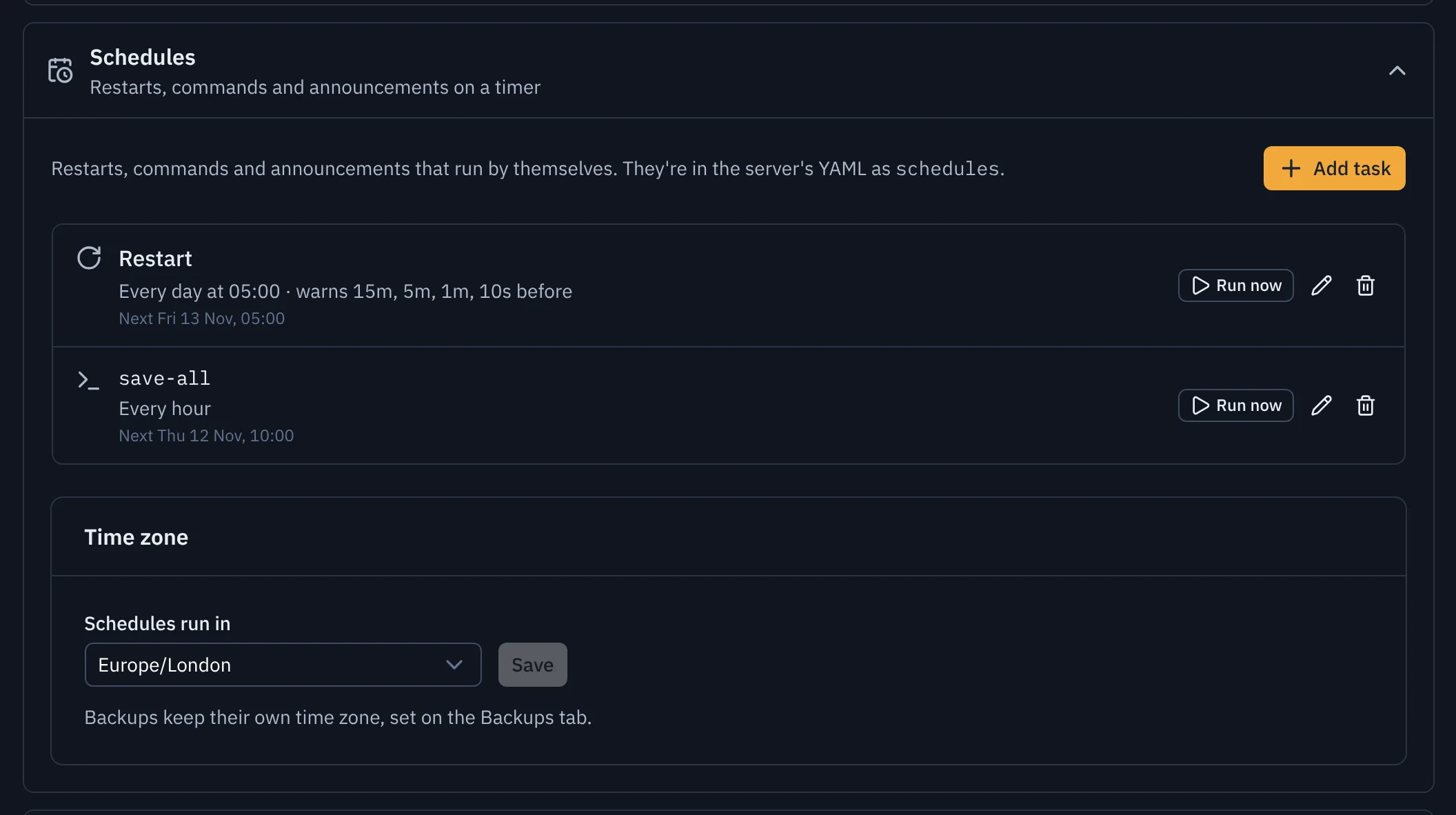
- Add task
- Run now
Press Add task and choose what it does:
- Restart: warns anyone online, saves the world, then restarts the server.
- Command: runs a console command, such as
save-allorwhitelist reload. Write it without the slash. Its reply is kept, and shows when you point at the task's last result. - Announcement: shows a line of text in everyone's chat, in gold (or your brand colour).
Then choose when: every day at a time, every week on a day, every hour, every few minutes, or a cron expression for anything else. Cron has five parts: minute, hour, day of the month, month, and day of the week. 0 5 * * * is 05:00 every day, and 30 3 * * 1-5 is 03:30 on weekdays. The form shows the next three times it would run.
Every task on the list shows when it runs next, and when it last ran and how that went. Run now runs it straight away. The list updates by itself while a task runs.
Time zone
Tasks run in the server's time zone, set at the bottom of Settings, Schedules (or timezone in the YAML). It starts as UTC, so set it to where your players are, such as Europe/London. Clocks changing for summer time are handled: 05:00 stays 05:00.
Backups keep their own time zone, set under World, Backups.
Restarts
A restart set for 05:00 starts its countdown at the first warning, so with the usual warnings it begins at 04:45 and restarts at 05:00:
- Players see "Server restarting in 15 minutes" in chat, then again at each warning. The last 10 seconds also show as a title in the middle of the screen.
- The world is saved (
save-all flush). - The server restarts the same way as the Restart button. It isn't counted as a crash, and if a channel has A server restarted from the panel ticked, the restart is announced there.
- The task records how long the restart took, such as "Restarted in 41s (4 warnings)".
The warnings are up to you: any of 10s, 1m, 15m, 1h and so on, up to two hours, or none at all.
Restart straight away when nobody is online (on by default) skips the countdown if the server is empty when the countdown would start. The restart then happens at once, up to the first warning early, which saves keeping an empty server waiting.
While a restart counts down, its Run now button becomes Call off. Calling it off tells anyone who was warned that the restart isn't happening, and the task's result says it was cancelled. Run now on a restart asks first, and starts the countdown from the moment you confirm.
When a task can't run
- The server isn't running: the task is skipped, and its result says so. No notification is sent.
- A backup, restore or change is running on the server: the task waits until it's finished, for up to ten minutes. If it's still going after that, the task is skipped, its result says why, and a notification is sent. A restart's countdown doesn't hold the server up: a backup due during the warnings still runs, and the restart waits for it to finish before saving and restarting.
- The server is stopped during a restart's countdown: the restart is called off rather than starting the server again, and its result says so.
- The task is changed or deleted during its countdown (or its server is deleted): the countdown is called off, and anyone who was warned hears that the restart isn't happening.
- It fails: for example, the console doesn't answer, or the server doesn't come back after a restart. The task's result says what went wrong, and a A scheduled restart, command or announcement failed notification is sent. The next run that works sends "Scheduled tasks are working again".
Every run is in Activity: credited to Flytower when it ran on its schedule, or to you when you pressed Run now.
Things a task can't do
- A command can't be
stop. To systemd, a server that stops by itself looks like a crash, so it would be started again (and counted as a crash). Use a restart task instead. - A command is one line, and an announcement is at most 256 characters.
- A task waits for a backup, restore or change on its server, and for a restart that is saving and restarting, for up to ten minutes as above. A command or announcement due during a restart's warnings runs straight away.
People and roles
Flytower can have more than one person signing in. Each person has one or more roles, each for one server or for all of them. Roles add up: someone can be an Operator on every server and an Admin on one.
Keyboard shortcuts
Press ? on any page to see these in the panel. They never fire while you're typing in a field, the console or an editor, and they never replace the browser's own Ctrl (⌘ on a Mac) keys.